
Siren horror: Big head game 3d
Khadiev - Scary Horror Games 3DAdventure
4.2121.00 Reviews
- Version
- 4.2.6
- Installs
- 10.00M
- Age Rating
- Mature 17+
Screenshots
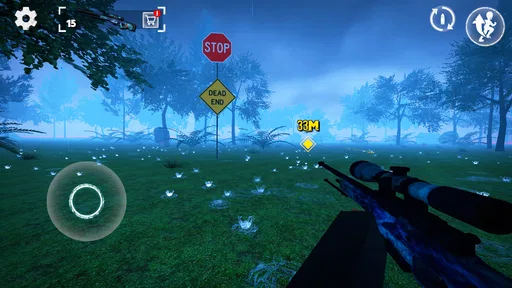
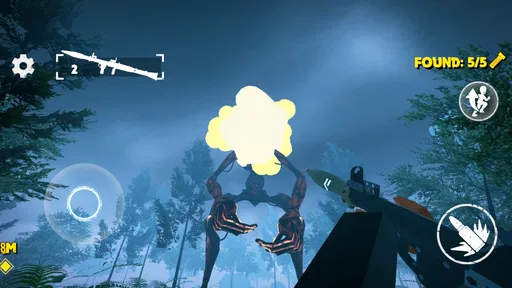
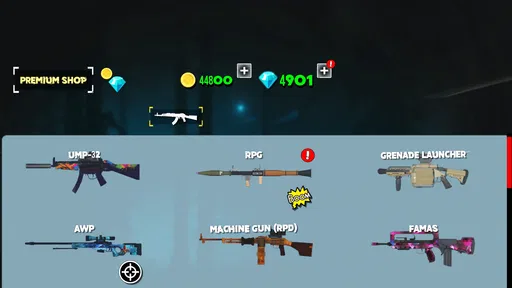
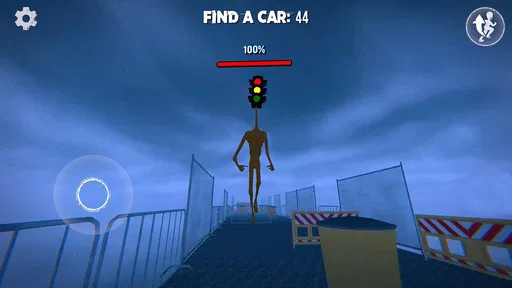
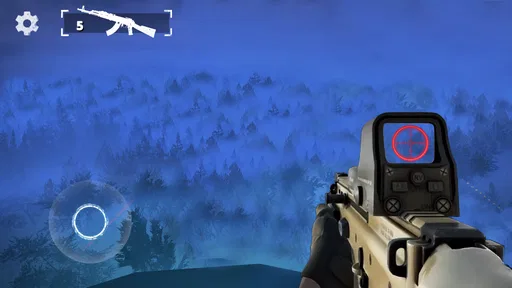
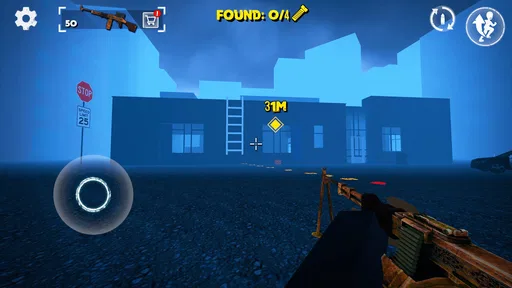
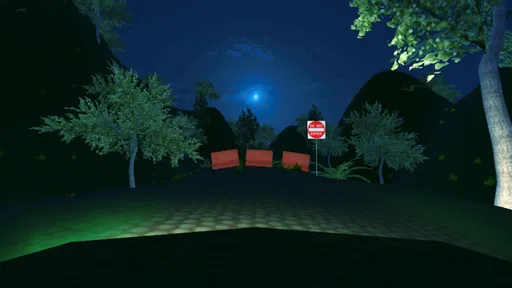
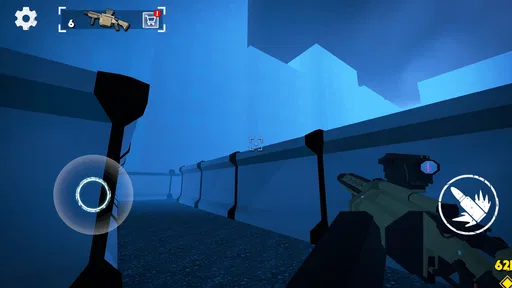
Our Review of Siren horror: Big head game 3d
 Analysis by Appyee
I approached Siren horror: Big head game 3d expecting a quick horror game built around an unsettling creature and simple mobile controls. That expectation is important, because this is not the kind of adventure I would choose for a deep story, a large role-playing system, or a polished console-style campaign. It is a direct, tense experience from Khadiev - Scary Horror Games 3D, aimed at players who want frightening atmosphere and a threatening siren-headed figure without a long learning curve.
The game is free to start and belongs to the adventure category, although its strongest identity is clearly horror. It carries a mature 17+ content rating, so I would not treat it as a casual family game. The basic idea works best when you play with your attention fully on the screen: move carefully, watch for danger, and try to understand what the environment is asking you to do before panic takes over.
After spending time with it, my opinion is fairly clear. The appeal is immediate tension rather than complexity. When the mood works, the game creates the uneasy feeling of being watched and hunted. When it does not work, the same simplicity can feel repetitive, and a player looking for detailed exploration may quickly run out of patience. The useful question is not whether it is the biggest horror game on mobile, but whether its compact, chase-focused style matches the kind of scare you want.
What makes the first session easy to misunderstand
The first place players can get stuck is not necessarily a difficult puzzle. It is understanding the game’s rhythm. Horror games often make people move too quickly because they assume the safest action is to keep running. Here, that instinct can make the opening feel more confusing than it needs to be. I found it more useful to treat the first attempt as a reconnaissance run: learn how the surroundings connect, notice where I tend to lose control, and pay attention to the moments when the threat becomes active.
That approach changes the experience. Instead of judging the game after one failed attempt, I could separate a genuine mistake from a poor first impression. If I rushed into an unfamiliar area, became disoriented, and then blamed the controls, I was not really testing the game fairly. A short pause to look around often gave me a better idea of where to go next.
The visual concept is easy to recognize, but recognition alone does not make every encounter frightening. The tension depends on timing, visibility, and the player’s willingness to move cautiously. I recommend playing with the screen free of distractions and avoiding a bright, noisy environment. That is not a technical requirement; it is simply the difference between noticing small changes in the scene and missing them while multitasking.
Players who expect constant action may also misunderstand the slower stretches. In my experience, the quiet moments are part of the pressure. They give me time to wonder whether I am safe, whether I took the wrong route, and whether moving forward is better than waiting. If you dislike horror games that use anticipation more than combat, this style may feel frustrating rather than exciting.
How I handle the opening without wasting attempts
My most useful habit is to avoid treating every early run as a race. I first check how responsive movement feels, then make a mental note of landmarks that help me recognize where I am. Even simple visual cues can prevent the classic mobile-horror problem of circling the same space while assuming the game has stopped progressing.
I also keep my movements deliberate near unfamiliar corners. Turning too quickly can hide the reason a run failed, while moving in small stages makes it easier to understand whether I missed a route, reacted late, or simply walked into danger. This is a small adjustment, but it makes the game feel less random.
Another practical tip is to restart with a specific goal. On one attempt I might focus on learning the route; on another, I might test how close I can get to a risky area before retreating. That turns repeated failures into useful information. It is especially helpful for players who normally abandon horror games after being surprised a few times.
Setup checks that prevent avoidable frustration
The game supports devices running Android 7.0 or later, which makes it accessible to many older phones and tablets. Still, compatibility on paper does not guarantee an equally comfortable session on every device. Before blaming the game for stuttering, delayed input, or sudden closing, I would close other demanding apps, make sure the operating system is not busy with an update, and leave enough free storage for a smooth installation and normal device operation.
Those checks are ordinary, but they matter more in a horror game than in a turn-based title. A brief delay during exploration may be harmless in another genre; during a chase, it can feel like the game cheated. I would also test the controls in a calm section rather than waiting until the threat is close. That makes it easier to tell whether the problem is an unfamiliar control layout or a real performance issue.
The current version is 4.2.6, so I would use the latest version available for the device rather than relying on an old installation. If an update has just been applied and the game behaves strangely, a full restart of the phone is a sensible first step. I would not immediately reinstall, because that can erase local progress depending on how the game handles saved data.
Sound deserves a separate check. Horror depends heavily on audio cues, and playing with the volume nearly muted changes the balance of the experience. I prefer a moderate level that lets me hear what is happening without making the session uncomfortable. If sound is missing, I check the phone’s media volume rather than the ringtone volume, then look for any in-game audio control before assuming the installation is broken.
Because the game is free, it is easy to install casually and forget that in-app purchases range from $1.99 to $24.99 per item. I would decide in advance whether I want to spend anything and use the device’s purchase protections, especially if someone else also uses the phone. The free entry point is convenient, but it should not be confused with every part of the experience being free of optional spending.
What I check before calling the controls bad
Mobile horror controls can feel awkward simply because the player is holding the phone differently from one attempt to the next. I get more consistent results when I support the device with both hands and keep my thumbs in the same positions. If I play while walking, lying down, or repeatedly changing grip, I am more likely to blame the game for movements I caused myself.
I also avoid tapping rapidly when I am frightened. Panic produces accidental inputs, particularly when a player tries to turn, move, and interact at once. Slowing down for a moment helps reveal whether the control response is genuinely unreliable. If the same action fails repeatedly in a quiet area, that is more meaningful than one mistake during a scare.
Screen brightness is another trade-off. A very dark display can make the game atmospheric, but it may hide important visual information and encourage eye strain. I use a brightness level that preserves the mood while keeping environmental details visible. On a smaller screen, that balance matters even more because shadows and corners occupy a larger part of the viewing experience.
Recovering a run when something goes wrong
When a session goes badly, I try to identify the type of failure before restarting. If I lost track of the route, I retrace the last familiar landmark rather than moving randomly. If the threat appeared after I made noise or entered a particular area, I change one behavior on the next attempt. If the phone became hot or the frame rate dropped, I close the game, let the device settle, and try again under lighter conditions.
This method is more effective than changing everything at once. Reinstalling, switching devices, changing brightness, and altering controls in one go makes it impossible to know what helped. A simple recovery sequence is better: restart the app, test a short section, check the device, and only then consider reinstalling if the problem continues.
If the game closes during startup, I would first restart the device and check that the installation completed properly. I would also confirm that the phone meets the Android requirement and has enough available storage. Clearing temporary app data can sometimes help with a damaged cache, but I would be careful with any option that may remove saved progress. A reinstall is a last resort for me, not the first response.
Progress-related frustration needs patience. I would not assume that a failed run means the game has lost everything. I first return to the normal starting point, check whether the previous session was recorded, and repeat the last known step. If the issue appears only after a particular action, I would avoid repeating that action immediately and test whether the game behaves normally elsewhere.
There is also a psychological recovery that matters. A sudden scare can make me play badly for the next several minutes because I am reacting rather than observing. Taking a short break is not wasted time; it resets my attention. When I return, I can remember the route and make decisions based on what I learned instead of blindly expecting the same surprise.
Separating a difficult encounter from a technical problem
A useful test is consistency. If I fail in the same place because I choose the same route, that looks like a gameplay mistake. If the game freezes in different places, ignores input in calm sections, or closes without a clear pattern, I start investigating the device. This distinction prevents me from calling normal horror-game pressure a bug.
I also test with a short session after changing one setting or closing background apps. A long run is a poor diagnostic tool because too many things can happen before the problem appears. A brief, repeatable check gives me a clearer answer and saves time.
Players should remember that an older device can meet the minimum operating-system requirement and still deliver a less comfortable experience than a newer phone. That does not make the game unusable, but it may affect how enjoyable fast reactions feel. If responsiveness remains poor after basic cleanup, a different device or a less demanding horror title may be the better choice.
When the game is not the right explanation
Not every unpleasant session is caused by the app. Sometimes the real issue is the player’s environment. A weak grip, glare on the display, loud background noise, or a nearly empty battery can make a tense game feel broken. I get a more honest impression when I play in a stable position with the screen clean and enough battery for a normal session.
Network assumptions can also lead to confusion. I would not treat every pause or loading delay as evidence of a gameplay problem without first checking the phone itself. Switching between connections, using a crowded device, or running many apps at once can create symptoms that disappear after a restart. The safest approach is to change one condition and test again.
Age suitability is another important boundary. The mature 17+ rating means I would not recommend this as a game for children, even if the controls look simple. Parents should also consider that optional purchases are present. For an adult who enjoys short horror sessions, that may be manageable; for a shared family device, purchase controls and supervision are sensible.
The game is not ideal for everyone who likes horror. If you prefer detective stories, elaborate puzzles, character development, or a carefully explained world, a story-heavy adventure would probably serve you better. If you want competitive multiplayer or a large map filled with long-term progression, this is also the wrong direction. Its strength is the immediate horror premise, not breadth.
Compared with a conventional action game, this title asks me to value caution over constant attacking. Compared with a large survival-horror release, it feels more approachable and less demanding in terms of time, but it also offers less room for deep exploration and layered storytelling. That trade-off is central: I can start quickly and understand the mood quickly, but I should not expect the same richness as a premium, narrative-led alternative.
Who will get the most from it
I think it suits players who enjoy the siren-headed horror concept, short mobile sessions, and the tension of being pursued. It also works for someone who wants a straightforward introduction to horror games without first learning a complicated inventory system or a large set of combat rules.
A realistic use case would be a player with a free half hour who wants something more active than watching a horror video. I would install it, check the controls in a quiet moment, play one exploratory run, and then decide whether the atmosphere is strong enough to continue. That makes it easy to fit into a break or an evening session without committing to a long campaign.
I would skip it if I know I dislike repeated attempts, sudden threats, or games where atmosphere matters more than detailed explanation. I would also skip it on a phone that already struggles with 3D games, unless I am willing to accept occasional friction. A higher-rated horror game is not automatically a better match; the important difference is whether I want this compact, direct style or a more elaborate experience.
My practical verdict after testing the experience
Siren horror: Big head game 3d is a free adventure-horror game that understands the value of a recognizable threat and a quick route into suspense. Its 4.2 average from around 15 thousand ratings and more than ten million installs suggest that the concept has found a substantial audience, while the relatively small number of written reviews means I would rely more on my own device and genre preferences than on the score alone.
What I like most is the low barrier to entry. I do not need to study a complicated system before the horror begins. The game gives me a clear reason to pay attention, and careful movement makes the experience more engaging than simply rushing from one point to another. The best sessions come when I treat the environment as something to read rather than a corridor to sprint through.
What limits it is the same simplicity that makes it accessible. Players looking for a broad adventure may find the encounters and exploration too narrow. Mobile control friction can also become noticeable when the action gets intense, especially on older hardware or with an inconsistent grip. Optional purchases are worth keeping in mind as well, even though the game itself is free to begin.
My recommendation is therefore specific: try it if you want a direct siren-themed scare, enjoy learning through repeated attempts, and are comfortable with mature horror. Before judging it, give the controls a calm test, play with reliable sound, and use the first run to learn rather than win. If you want a richer story or a more sophisticated survival-horror structure, choose another adventure instead. For the right player, though, this is an easy game to pick up and a reasonably effective way to turn a short mobile session into something tense.
Verdict
Strengths of Siren horror: Big head game 3d
- Simple controls make it easy to start playing immediately.
- Short sessions suit players looking for quick horror challenges.,3D environments create a more immersive atmosphere.
- The unusual big-head character design adds a memorable visual style.
- Offline play is convenient when no internet connection is available.
Limitations of Siren horror: Big head game 3d
- Gameplay may become repetitive after several rounds.
- The horror experience is more cartoonish than genuinely frightening.
- Some levels can feel poorly balanced in difficulty.
- Graphics may look basic on older or high-resolution devices.
- Advertising can interrupt the experience between gameplay sections.
Similar Picks in This Category
View All
Roblox
Roblox Corporation4.2

Pokémon GO
Niantic, Inc.3.5

Ninja warrior: legend of adven
TOH Games4.6

Ninja Arashi
Black Panther4.6

Eyes - The Horror Game
Fearless Games sp. j.4.5

Critical Action:Gun Strike Ops
FPS Shooter & Action Game4.3
Frequently Asked Questions
What is Siren Horror: Big Head Game 3D about?
Siren Horror: Big Head Game 3D is a first-person horror game built around exploration, suspense, and survival. You move through eerie environments while trying to understand what is happening and avoid dangerous enemies. The exaggerated character designs give it a distinctive, slightly surreal appearance, but the game still relies on dark surroundings, sudden encounters, and unsettling sound effects to create tension during each level.
Is Siren Horror: Big Head Game 3D suitable for children?
Although the game uses cartoon-like, big-headed character models, it is still designed as a horror experience. Players may encounter frightening creatures, dark locations, chase sequences, disturbing sounds, and jump scares. Because reactions to horror vary, parents should check the store age rating and review the game’s content before allowing younger children to play, especially if they are sensitive to suspense or frightening imagery.
Can I play the game offline?
The game may allow much of its main gameplay to be enjoyed without a constant internet connection, which is useful when traveling or playing on a device with limited data. However, some versions can require internet access for advertising, updates, analytics, or other online services. It is best to launch the game once while connected, then test the available levels offline because requirements can change after updates.
Does Siren Horror: Big Head Game 3D work well on all Android and iOS devices?
Performance depends on your phone or tablet’s operating system, processor, memory, and available storage. Newer devices generally provide smoother movement, faster loading, and more stable graphics, while older or entry-level models may experience reduced performance, longer loading times, or occasional crashes. Before downloading, check the current store requirements and keep enough free space for the installation and future updates.
Are there ads or in-app purchases in Siren Horror: Big Head Game 3D?
Many free mobile horror games use advertising to support development, and this title may display ads between stages, after failed attempts, or when optional rewards are selected. The exact advertising and purchase options can vary by platform and version. Check the Google Play or App Store listing before installing, and remember that disabling internet access may affect advertisements but can also limit certain features.
Play our best games!


